
Computer Science
SIWES Logbook Examples for Computer Science Students in Nigeria
These examples show how to turn real computer science placement activities into clear daily entries without copying another student or inventing technical work.
The short answer
A strong computer science SIWES entry names the real task, system or tool, process followed, result observed, and skill learned. Use the examples below as writing patterns only. Replace every activity, device, command, and result with what happened during your own placement.
Use examples as a structure, not as a ready-made story
A filled sample can help when you know what you did but cannot find the right words. The danger begins when the sample becomes a replacement for your actual experience. A supervisor may ask you to explain any command, device, program, or procedure written in the logbook.
Read an example to understand its shape, then close it and write from your own notes. If you only observed a task, say that you observed it. If you assisted, state the part you handled. If you performed it under supervision, include that context.
- Keep the correct day and date
- Name the actual software, device, or document used
- Describe your real level of involvement
- Record the result you personally observed
- Remove any detail you cannot explain
- Follow the space and format provided by your institution
A simple pattern for technical entries
Computer science placements vary widely. One student may work in a software company, another in a school ICT unit, a bank support office, a business centre, or a government department. The same reporting pattern still works: task, tool, process, result, and lesson.
You do not need to force every sentence to sound advanced. A careful account of a basic task is more useful than a complicated description that is not true.
| Rough note | Clearer entry | Detail to confirm |
|---|---|---|
| Worked on networking | Assisted in connecting two workstations to the office switch and tested communication between them. | Device, cable type, and test used |
| Did website work | Updated the navigation links on a practice web page and checked the layout at mobile and desktop widths. | Files changed and browser used |
| Used Excel | Cleaned a worksheet by correcting inconsistent date formats and removing duplicate records under supervision. | Dataset and functions used |
| Fixed a computer | Observed the diagnosis of a desktop that failed to boot and assisted in checking its power and memory connections. | Symptoms, checks, and result |
Week 1 example: orientation and ICT unit familiarization
The first week is often about resumption, workplace rules, introductions, system access, and observation. Those are valid activities. Do not add programming or repairs simply because you think an orientation week looks too simple.
Five daily entries you can adapt to your real first week
Monday: Reported to the organization and completed the required registration. I was introduced to my industry supervisor and the members of the ICT unit, who explained the responsibilities of the department.
Tuesday: Participated in a tour of the office and identified the workstations, network cabinet, printer area, support desk, and equipment storage section used by the ICT team.
Wednesday: Received guidance on workplace conduct, password safety, acceptable use of company systems, and the correct way to report a technical fault.
Thursday: Observed how support requests were received, recorded, assigned, and closed after users confirmed that an issue had been resolved.
Friday: Reviewed the week with my supervisor and prepared a simple diagram showing how a support request moves from the user to the ICT officer and back to the user.
Week 2 example: computer support and basic networking
Support work becomes a stronger logbook entry when you record the symptom, checks performed, tool used, and final result. Avoid saying that you repaired a system if you only watched the technician.
Sample support and networking entries
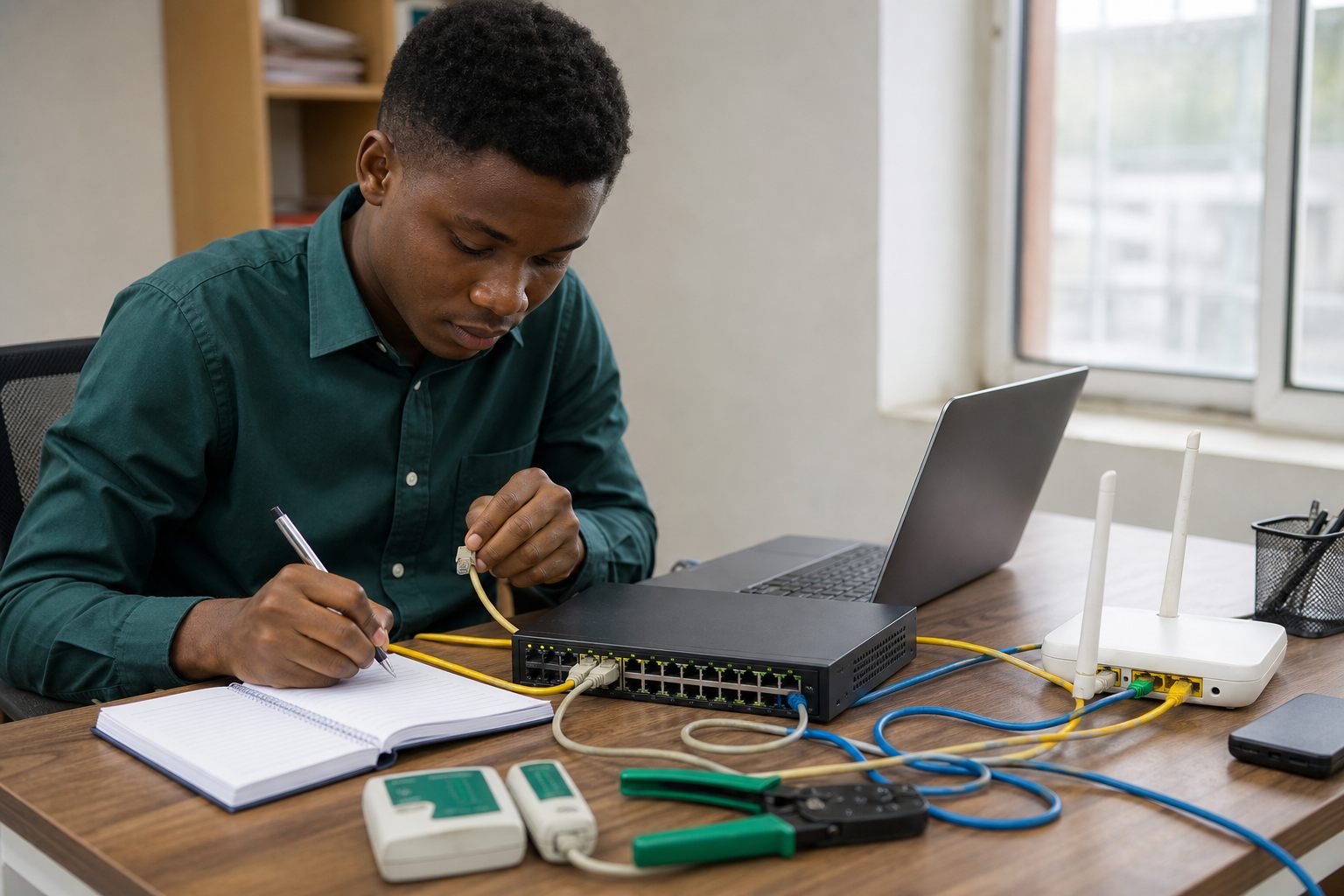
Monday: Assisted in inspecting a desktop computer that could not connect to the local network. I checked that the Ethernet cable was firmly connected and observed the link indicator on the switch port.
Tuesday: Learned how to view a workstation network configuration and compared the assigned IP address, subnet mask, and default gateway with the approved office settings.
Wednesday: Used the ping command under supervision to test communication between a workstation and the local gateway. The replies confirmed that the local connection was active.
Thursday: Assisted in preparing and testing an Ethernet patch cable. I observed the wire arrangement, connector crimping, and continuity test used to confirm that each pair was correctly connected.
Friday: Documented the troubleshooting sequence and drew a labelled sketch showing a workstation connected through a switch to the office router.
Week 3 example: web development practice
When your placement includes web work, name the page or feature and describe what changed. Writing only that you learned HTML or CSS does not show the practical activity.
Sample web development entries
Monday: Reviewed the folder structure of a practice website and identified the HTML, stylesheet, image, and script files used by the pages.
Tuesday: Created a semantic page section with a heading, paragraph, list, and link, then opened it in the browser to confirm that the content appeared in the intended order.
Wednesday: Applied CSS spacing, colour, border, and typography rules to the practice page while keeping the existing layout conventions.
Thursday: Used a responsive layout to arrange content differently on narrow and wide screens, then tested the page with the browser device toolbar.
Friday: Corrected a broken navigation link, reviewed the completed page with my supervisor, and recorded the importance of checking file paths before deployment.
Week 4 example: data handling and office systems
Many computer science students are placed in offices where the available work involves spreadsheets, document systems, records, and user support. You can still write technical entries by explaining the information process and the controls used to keep the data accurate.
Sample data handling entries
Monday: Examined the structure of a sample staff worksheet and identified the purpose of its identifier, name, department, date, and status columns.
Tuesday: Standardized inconsistent date entries and used sorting to group records by department for easier review.
Wednesday: Checked the worksheet for duplicate identifiers and corrected the affected records after confirming the changes with my supervisor.
Thursday: Applied a basic formula to calculate totals and compared the result with a manual check to confirm that the selected cell range was correct.
Friday: Saved the reviewed file with the approved naming convention and learned why access control, backups, and careful version naming are important when handling organizational records.
How to write the weekly summary
A weekly summary should connect the individual days instead of repeating all five entries word for word. State the main area of work, the important procedures, the result, and the skill that became clearer during the week.
Networking week summary example
Adapt this only when it matches the work you performed.
During the week, I learned the basic process used to connect and test workstations on a local network. I assisted in checking cable connections, reviewed workstation IP settings, and used a connectivity test under supervision. I also observed how a patch cable was prepared and tested. These activities improved my understanding of network components, systematic troubleshooting, and the importance of documenting each check before changing a configuration.
Add diagrams that help you explain the activity
A useful diagram supports the written entry. For computer science work, simple labelled drawings are often enough. Draw only systems you understand and remove confidential names, addresses, passwords, and internal network details.
- A workstation, switch, and router connection diagram
- The parts of a desktop computer you identified
- A simple support request workflow
- A website page structure or navigation flow
- A database table showing fields and relationships
- A troubleshooting flow from symptom to confirmed result
Check the entry before your supervisor sees it
Read each entry once for truth and once for clarity. The best computer science logbook is not the one with the most technical words. It is the one that gives an accurate, understandable record of your progress.
- 1
Confirm that the day, date, and week number agree.
- 2
Check the spelling of every software tool, command, and device.
- 3
State whether you observed, assisted, or performed the task.
- 4
Remove results or measurements you did not personally confirm.
- 5
Make sure you can explain the entry without reading it word for word.
- 6
Ask your supervisor to review and sign at the required interval.
Questions students usually ask
What can a computer science student write in a SIWES logbook?
Write the real software, support, networking, hardware, data, documentation, security, or office system activities you performed or observed. Include the tool, process, result, and skill learned.
Can I copy these SIWES examples directly?
No. Use them to understand structure and wording, then replace every task and result with your own experience. Copying activities you did not perform can create problems during supervision or defense.
What if my placement gives me only basic computer tasks?
Describe the basic task accurately and show the process, checks, and lesson. File organization, spreadsheet cleaning, software installation, printer support, and user assistance can all produce useful entries when they are specific and truthful.
Should I include code in my SIWES logbook?
Include a short relevant snippet only when your format allows it and the code helps explain your work. A flowchart, screenshot, or labelled structure may be clearer. Never include confidential source code.
Organize your real weekly notes
LogFolio helps turn rough activities into a clearer draft. You check the facts and keep the final report honest.
Read next
Electrical Engineering
SIWES Logbook Examples for Electrical and Electronic Engineering Students
Electrical placements carry real risk, so your logbook must state exactly what you observed, what you assisted with, and what you performed under supervision.
SIWES Logbook
How to Fill a SIWES Logbook: Step-by-Step Guide and Examples
Filling a SIWES logbook is not about big grammar. It is about clearly recording what you did, how you did it, and what you learned.